

10 Tips to Create a Google My Business Listing Successfully
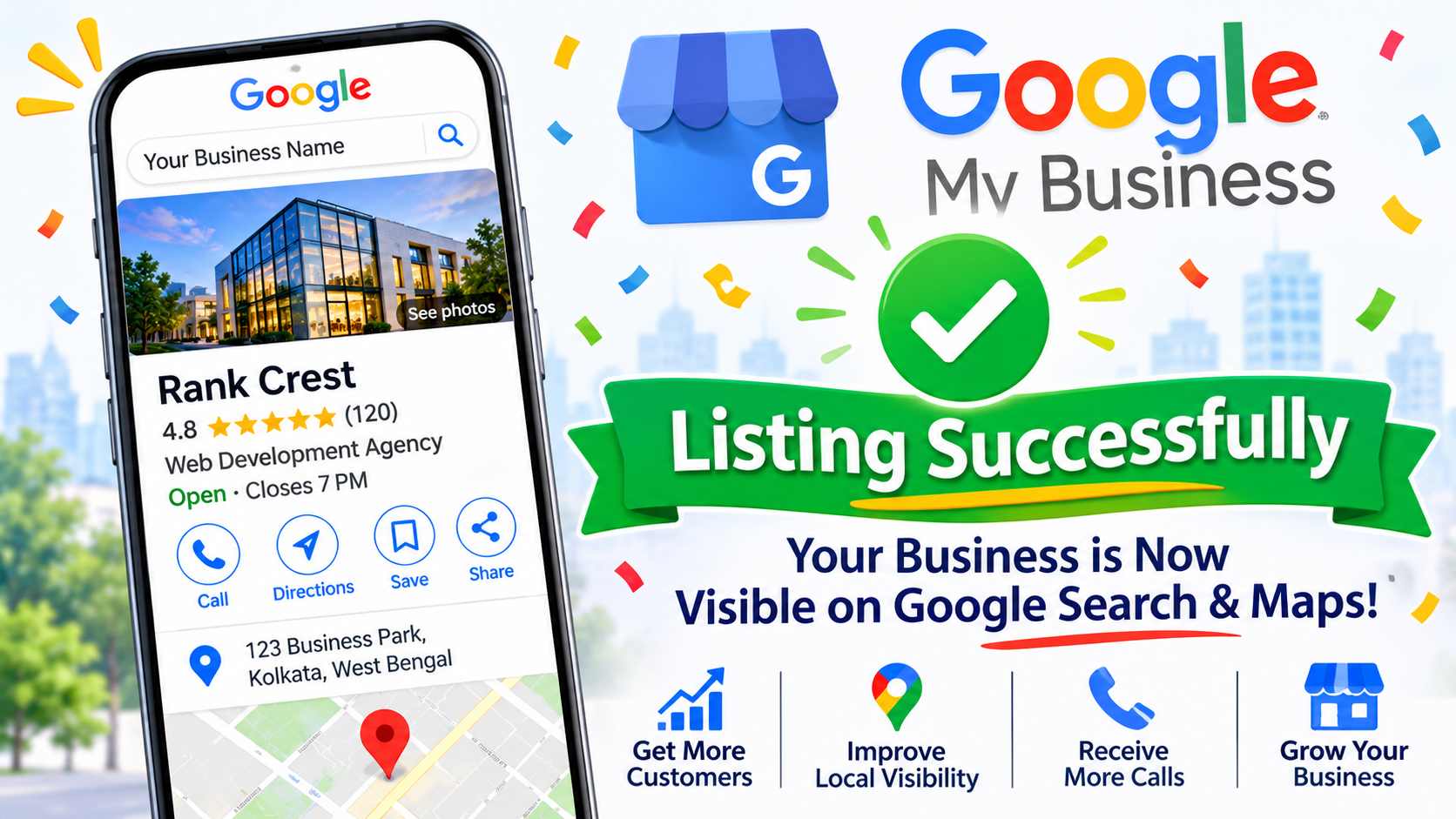
Having your business listed on Google Maps is one of the best ways to improve your online visibility and attract local customers. Whether you run a small shop, a professional service company, a restaurant, or a digital marketing agency, a Google Business Profile can help potential customers discover your business when they search for products or services nearby.
Formerly known as Google My Business (GMB), Google Business Profile allows businesses to display important information such as their business name, address, phone number, website, opening hours, photos, reviews, and services directly on Google Search and Maps.
However, creating a listing is not always straightforward. Incorrect business information, inappropriate categories, verification problems, and policy violations can result in delays, rejection, or even profile suspension.
If you want to create a Google Business Profile successfully, follow these 10 essential tips to set up your business listing correctly and avoid common mistakes.
1. Check Whether Your Business Is Eligible
Before creating a Google Business Profile, make sure your business meets Google’s eligibility requirements.
Google Business Profile is intended for businesses that have in-person contact with customers during their stated business hours. This includes businesses that serve customers at their physical locations and service-area businesses that visit customers.
Examples of eligible businesses include:
- Retail shops and printing businesses
- Restaurants and cafes
- Doctors and healthcare providers
- Website development companies
- Plumbers and electricians
- Salons and repair services
Online-only businesses without in-person customer contact are generally not eligible.
Checking eligibility before starting the registration process can help you avoid unnecessary problems later.
2. Use Your Real and Accurate Business Name
Your business name is one of the most important details in your Google listing.
Always use the actual business name that customers recognize and that is used on your signage, website, and business documents.
For example, if your registered or publicly used business name is “ABC Digital Solutions”, use that name rather than adding unnecessary keywords such as:
“ABC Digital Solutions – Best SEO Company in Kolkata – Website Development”
Adding promotional keywords, locations, or service terms to your business name when they are not part of its real-world name can violate Google’s guidelines.
Keep your business name consistent across your website, social media profiles, and other online listings.
3. Choose the Correct Business Category
Selecting the right primary business category is essential because it helps Google understand what your business does.
Choose the category that most accurately represents your main business activity.
For example:
- A restaurant should select an appropriate restaurant category.
- A printing shop should choose a relevant printing category.
- A website development company should select the closest applicable category.
- A dental clinic should choose an appropriate dental category.
You can also add secondary categories to describe other services your business genuinely provides.
However, avoid selecting unrelated categories simply to appear in more searches. Relevant categories help attract the right audience and improve the quality of your local enquiries.
4. Enter the Correct Business Address
If your business serves customers at a physical location, provide an accurate address where customers can visit during your stated business hours.
Make sure the address includes:
- Shop or building number
- Street or road name
- Locality
- City
- State
- Postal code
Your business location should match your actual operating location.
If you operate a service-area business without a customer-facing shop or office, you may be able to hide your address and specify the areas you serve instead.
Never use a virtual office, fake address, or another business’s location to create a listing.
Accurate location information helps Google understand where your business operates and helps customers find you.
5. Add a Valid Phone Number and Website
Your contact information allows potential customers to communicate with your business directly.
Add a phone number that is active, accessible, and controlled by your business.
Before submitting your profile, check:
- Whether the phone number is correct.
- Whether incoming calls can be received.
- Whether the website URL works properly.
- Whether the website represents the same business.
- Whether contact details are consistent across online platforms.
If you have a business website, make sure it includes your business name, services, contact information, and location details where applicable.
A professional website can improve customer confidence and support your overall local SEO strategy.
6. Complete Your Business Profile Information
An incomplete Google Business Profile may not communicate enough information to potential customers.
After creating your listing, complete all relevant profile sections.
Important details include:
- Business description
- Opening and closing hours
- Business contact information
- Products and services
- Service areas
- Business attributes
- Photos and videos
Write a clear business description explaining what your company does, which services it offers, and whom it serves.
Use relevant keywords naturally, but avoid excessive keyword repetition or promotional claims.
The objective is to provide useful information that helps customers understand your business.
7. Upload Genuine Business Photos
Photos help customers recognize your business and understand what they can expect when they visit.
Upload genuine photographs instead of relying entirely on stock images or unrelated graphics.
Recommended photo types include:
- Business exterior and signage
- Office or shop interior
- Products and equipment
- Team members
- Completed projects
- Service activities
For example, a printing shop can upload photographs of its printing machines, visiting cards, banners, and completed orders.
A digital marketing company can showcase its office, team, and genuine project work.
Use clear, high-quality images that accurately represent your business. Avoid misleading photographs or images that belong to other businesses.
8. Complete the Google Business Profile Verification
Verification is an important step in establishing that you are authorized to manage the business listing.
Google determines the available verification methods based on your business, location, and other information. These may include video verification, phone, email, or other methods where available.
For video verification, Google may ask you to demonstrate evidence such as:
- Your business location and surroundings
- Permanent business signage
- Access to the business premises
- Equipment, products, or tools used in your business
- Proof that you manage or operate the business
Follow the exact instructions displayed in your Google Business Profile.
Make sure the information in your verification process matches your actual business details.
Avoid submitting misleading videos, edited evidence, or documents that do not belong to your business.
9. Follow Google’s Business Profile Guidelines
One of the biggest reasons businesses face listing problems is failing to follow Google’s guidelines.
Before publishing or making major changes to your profile, review Google’s official Business Profile policies.
Some common mistakes to avoid include:
- Using keywords unnecessarily in the business name.
- Creating duplicate business listings.
- Using fake or misleading addresses.
- Selecting irrelevant business categories.
- Creating listings for ineligible online-only businesses.
- Providing incorrect phone numbers or website information.
- Creating multiple profiles for the same business location without a valid reason.
Also, avoid making frequent unnecessary changes to important business information, particularly during verification.
Following Google’s guidelines from the beginning can reduce the risk of profile-related problems.
10. Maintain and Update Your Listing Regularly
Creating and verifying your Google Business Profile is only the beginning. You should maintain it regularly to keep the information accurate and useful.
Here are some activities to perform regularly:
- Update business hours during holidays.
- Add new products and services.
- Upload recent business photographs.
- Publish relevant business updates.
- Respond to customer reviews.
- Check contact information.
- Monitor profile performance.
- Review any notifications from Google.
Encourage genuine customers to leave reviews after using your products or services. Respond professionally to both positive and negative feedback.
Regular profile maintenance helps customers find accurate information and supports your long-term local SEO efforts.
Conclusion
Creating a Google My Business listing successfully requires accurate business information, proper category selection, genuine business details, and compliance with Google’s guidelines.
By following these 10 tips, you can establish a professional Google Business Profile, reduce common setup mistakes, and improve your opportunities to reach local customers through Google Search and Maps.
Remember that successful profile creation does not guarantee top Google Maps rankings. Local visibility also depends on factors such as relevance, distance, prominence, competition, and the overall quality of your online presence.
If you want to improve your business visibility on Google Maps, investing in proper Google Business Profile optimization and local SEO can make a significant difference.
Need Help Creating or Optimizing Your Google Business Profile?
Rank Crest provides Google Business Profile optimization, local SEO, website development, and digital marketing services to help businesses strengthen their online presence and reach more potential customers.

Bijoy
Author